Certificate Management
Whether due to security events, industry changes, compliance requirements, the necessity to improve business processes and reduce costs, the need to identify and manage SSL certificates is critical to goals of your organization. Managing the purchase, deployment, renewal and expiry of digital certificates for multiple Web servers, purposes and users — sometimes in many different locations — can be time-consuming and costly.
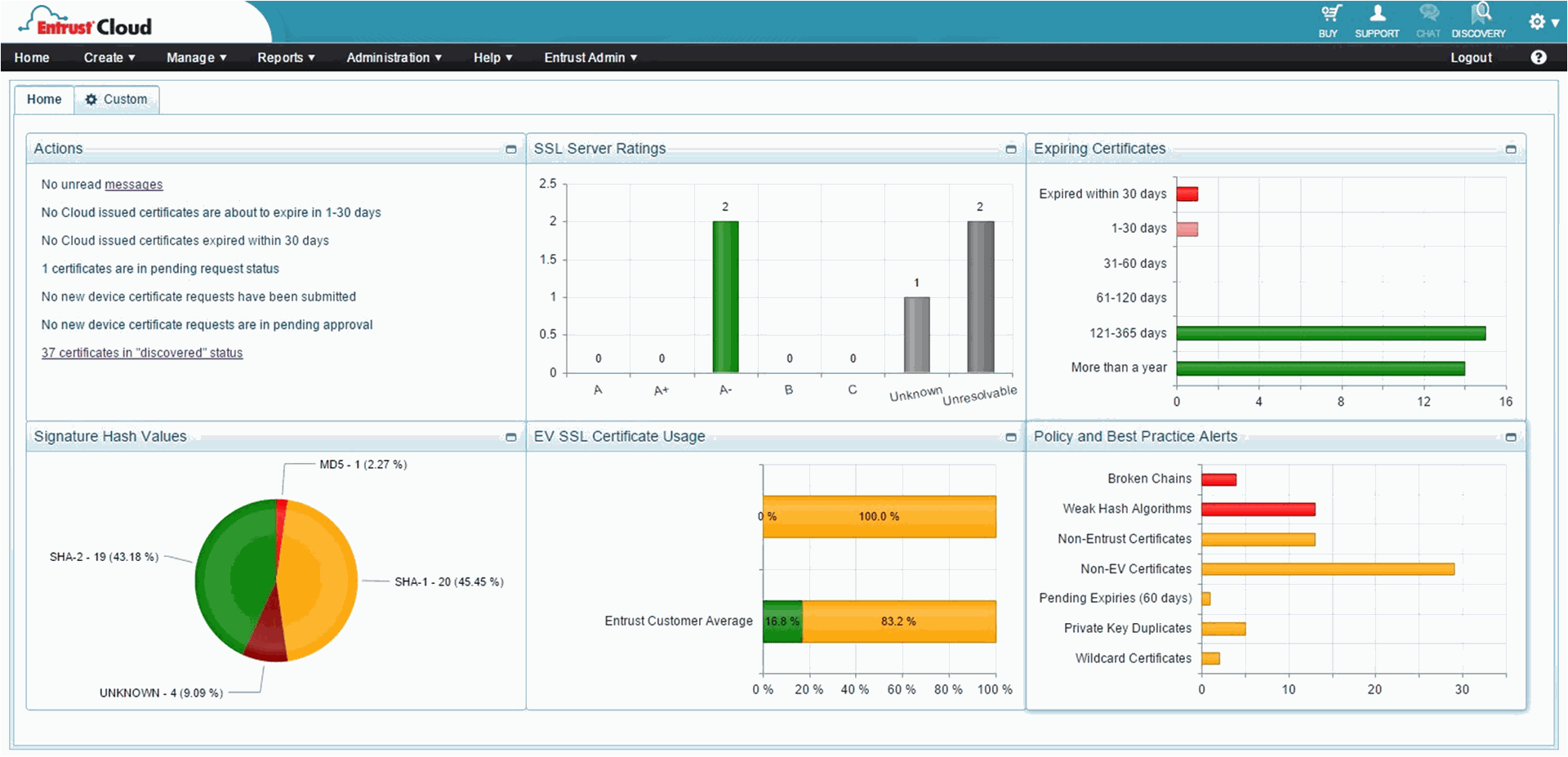
Entrust Certificate Services takes the guesswork out of certificate lifecycle management. Accessible from any web browser, Entrust's intuitive dashboard delivers critical insights in real‑time and reports on actionable activity so that you can avoid security lapses and stay in compliance. Enhanced reporting, alerts and a fully configurable dashboard, make it even easier to deploy, audit and manage all of your digital certificates.
ACME Services Auto-installer
The ACME Services for automatic certificate installation protocol makes certificate installation on systems using Apache and Apache variants simple. All you need to do is go to the web server, install and run the ACME‑compatible CertBot, and ACME does the rest –there is no Entrust Datacard client to install, and no need to create a CSR or install entire certificate chains.
Turbo™ Auto-install Client
Eliminate manual processes and reduce errors commonly associated with SSL/TLS deployment with the Turbo auto‑install client. Turbo provides a simple method to automatically install SSL/TLS certificates, configure servers on Microsoft Windows platforms, speed up deployment, and provides a hassle‑free way to support Always‑On SSL Best Practices by reducing installation and server configuration errors.
Certificate Pickup Wizard
Certificate Pickup Wizard is an intuitive process that makes installing Entrust SSL/TLS certificates quicker by streamlining the certificate chain installation process.
Best Practices
Ongoing training and thought leadership sessions provide education, training and communication on practical techniques, trends and ways to mitigate security threats to help you maintain a secure server environment.
Best Practices
Ongoing training and thought leadership sessions provide education, training and communication on practical techniques, trends and ways to mitigate security threats to help you maintain a secure server environment.
SSL Server Test
Testing your web servers for secure configuration protects your domain against threats, attacks and vulnerabilities. Our SSL Server Test tests servers for secure configuration and reports back, performing a deep analysis of your web servers—identifying vulnerabilities, grading your level of compliance, and providing notifications when high standards are not met. The SSL Server Test is updated regularly to mitigate new issues and can be scheduled to deliver ongoing reporting without hands‑on monitoring.